Background Information - The CyberGate app for Teams
The CyberGate for Teams app is designed to offer extra features for devices using the CyberGate service.
Three of the main features are:
- When using CyberGate Multi-ring groups, the app allows you to set availability status in a Multi-ring group
- It offers a Devices overview page. This page shows the current status of the device (online or offline) and features a Connect-button. Using this button you can initiate a call from Teams to the device with just one click
- Easily open the door during a Teams call with an intercom device by clicking a Door open button
The CyberGate for Teams app is certified by Microsoft, free and available for installation for everybody.
Installation can only be done via the Microsoft Teams Admin portal (admin.teams.microsoft.com). You can make the app available to the users that need the app only or to the complete organization using a Microsoft policy.
In this policy you have to pin the CyberGate for Teams app to the Teams environment of the users. It will not only pin to the sidebar in Teams but also to the 'Calling extensions' part of Teams.
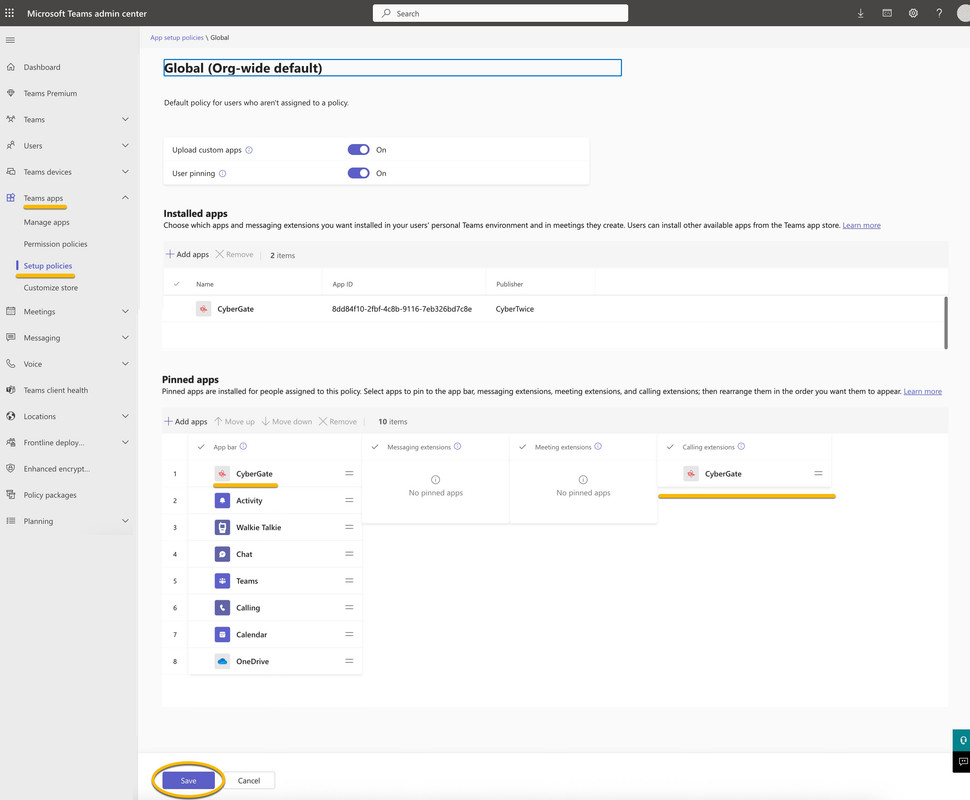
The 'Calling extensions' part is important because that will show the CyberGate symbol in the top bar of an active Teams intercom call. When clicked, the CyberGate symbol opens a side panel with the Open-door button. This button opens the door.
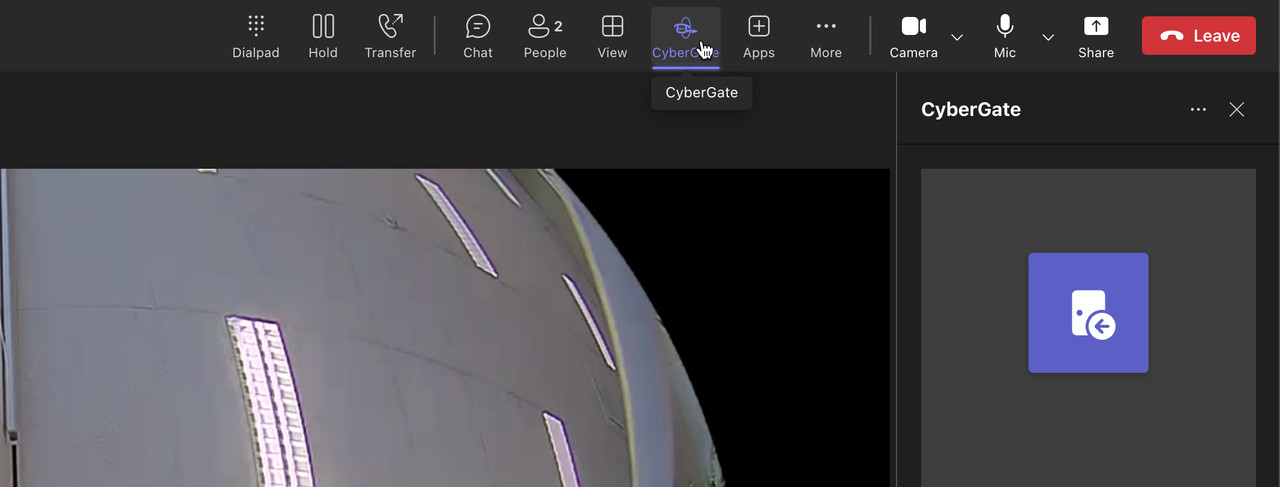
! Note: If the CyberGate for Teams app is not pinned in the Microsoft Teams Admin portal, the Open-door feature in a call will not be available. !